Installing Docker on Ubuntu 22.04
Docker
What is Docker?
Docker is a platform that lets developers package applications and everything they need to run — code, libraries, dependencies, and settings — into lightweight, portable units called containers.
Can you explain what a comtainer is?
Think of a container like a self-contained box for an application:
- It includes the app
- The runtime environment
- Required software dependencies
- Configuration files
Because everything is bundled together, the application runs the same way on:
- Your laptop
- A test server
- A cloud platform
- A client’s infrastructure
How has Docker become so popular?
Before Docker:
- “It works on my machine” was a constant problem
- Developers had to manually install dependencies
- Moving apps between environments often broke things
Docker solved this by making applications:
- Portable
- Consistent
- Easy to deploy
- Fast to scale
Docker
Key Concepts?
Containers
A container is an isolated environment running an application.
Unlike a full virtual machine:
- Containers share the host operating system kernel
- They are much lighter and faster
- They start in seconds
Images
A Docker image is the blueprint/template for a container.
Example:
- Ubuntu image
- MySQL image
- Nginx image
- Custom business application image
Dockerfile
A text file containing instructions to build an image.
Example:
FROM ubuntu:24.04
RUN apt-get update
COPY . /app
CMD [“python3”, “app.py”]
Docker Hub
Docker Hub is Docker’s online repository where you can download prebuilt images
What is the difference between Docker and a VM?
|
Feature |
Docker Containers |
Virtual Machines |
|
Size |
Lightweight |
Heavy |
|
Startup |
Seconds |
Minutes |
|
Performance |
Near native |
More overhead |
|
OS Included |
No |
Yes |
|
Isolation |
Process level |
Full OS |
Docker Hub
Common Docker Tools
- Docker Desktop — GUI for Windows/Mac
- Docker Compose — manage multiple containers
- Kubernetes — large-scale container orchestration
Common self-hosted Docker apps
- Uptime Kuma – self-hosted uptime monitoring with a clean dashboard. Great for monitoring your clients’ sites / services and your own infrastructure. Each client can have their own status page.
- Grafana – Metrics visualisation and dashboarding. Pair it with a data source like Prometheus, InfluxDB, or even your N-able data and you’ve got powerful visibility into infrastructure health.
- Nextcloud – Self-hosted file sync/share and collaboration (think Google Drive/Office alternative). Useful for client file sharing, internal document management, or even as a value-add service for clients.
- Vaultwarden – Lightweight self-hosted Bitwarden-compatible password manager.
- Nginx Proxy Manager – Reverse proxy with a GUI. Essential glue for running all the above on a VPS — handles SSL certs, subdomain routing, and keeps everything tidy behind a single IP.
How do I install Docker on Ubuntu 22.04?
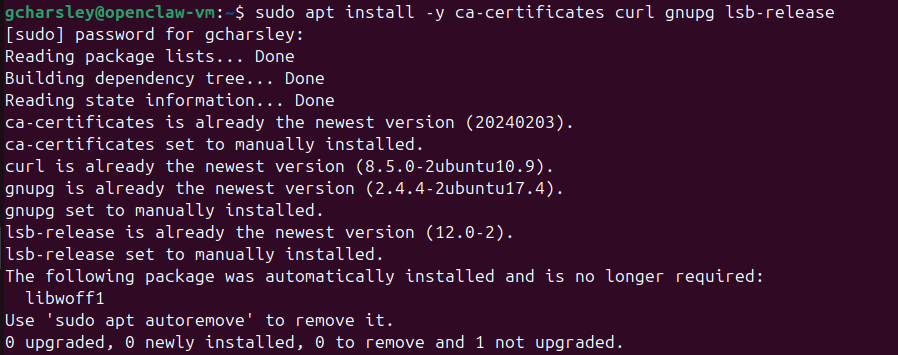
Step 1 — Update your package index and install prerequisites
sudo apt update
sudo apt install -y ca-certificates curl gnupg lsb-release
Step 2 — Add Docker’s official GPG key
sudo mkdir -p /etc/apt/keyrings
curl -fsSL https://download.docker.com/linux/ubuntu/gpg | sudo gpg –dearmor -o /etc/apt/keyrings/docker.gpg
Step 3 — Add the Docker repository
echo \
“deb [arch=$(dpkg –print-architecture) signed-by=/etc/apt/keyrings/docker.gpg] https://download.docker.com/linux/ubuntu \
$(lsb_release -cs) stable” | sudo tee /etc/apt/sources.list.d/docker.list > /dev/null
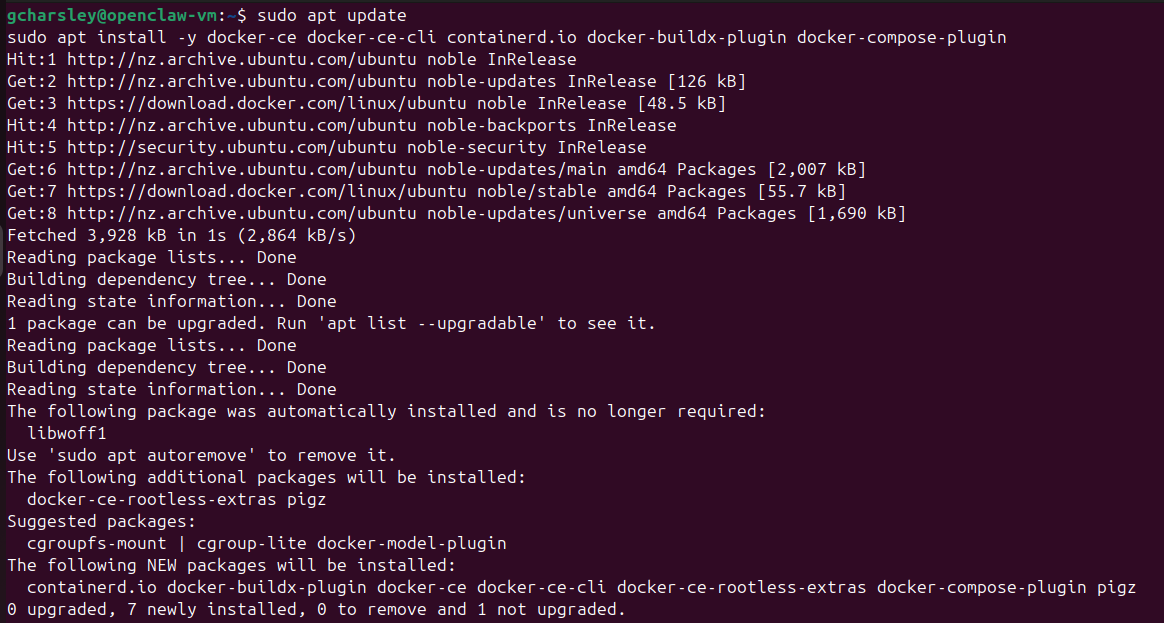
Step 4 — Install Docker Engine
sudo apt update
sudo apt install -y docker-ce docker-ce-cli containerd.io docker-buildx-plugin docker-compose-plugin
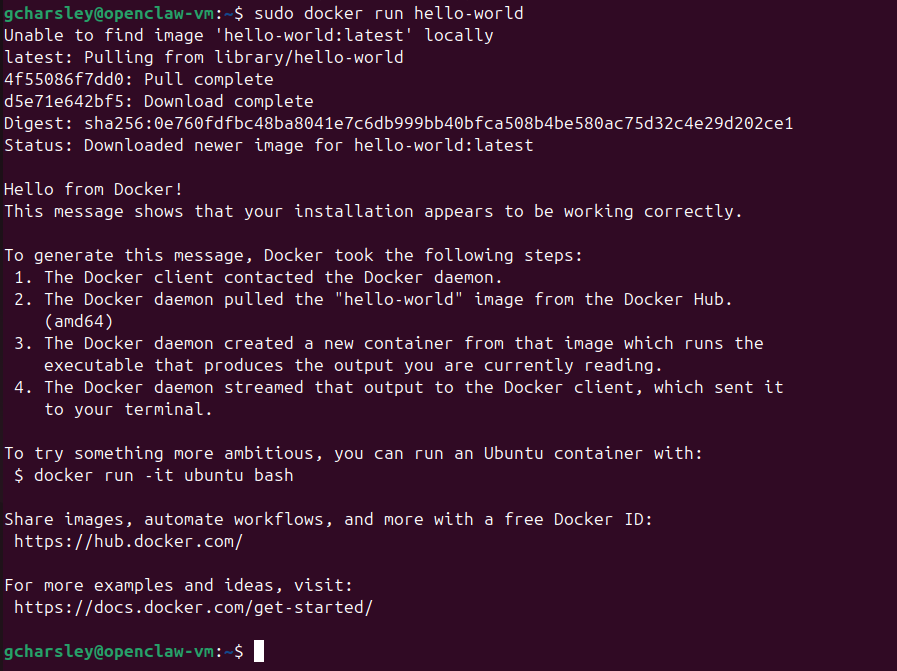
Step 5 — Verify the Installation
sudo docker run hello-world
Step 6 (Recommended) — Run Docker without “sudo”
sudo usermod -aG docker $USER
newgrp docker
Step 7 — Enable Docker to start on boot
sudo systemctl enable docker
sudo systemctl enable containerd

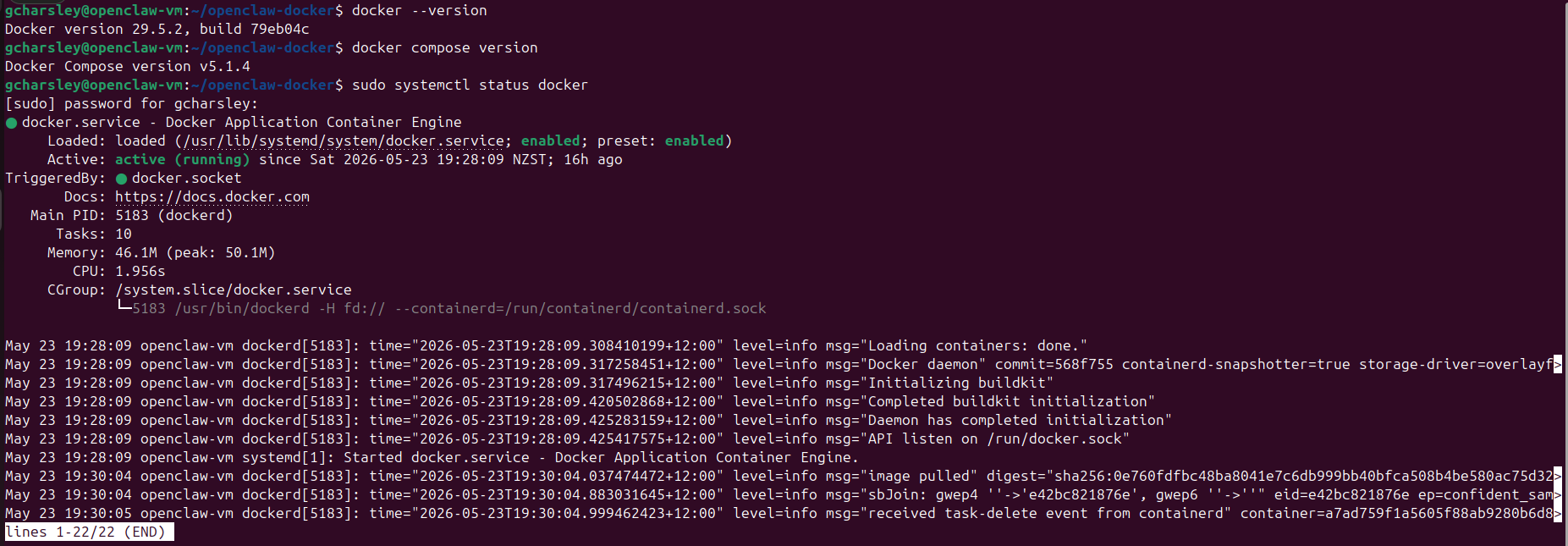
Quick verification commands
docker –version
docker compose version
sudo systemctl status docker